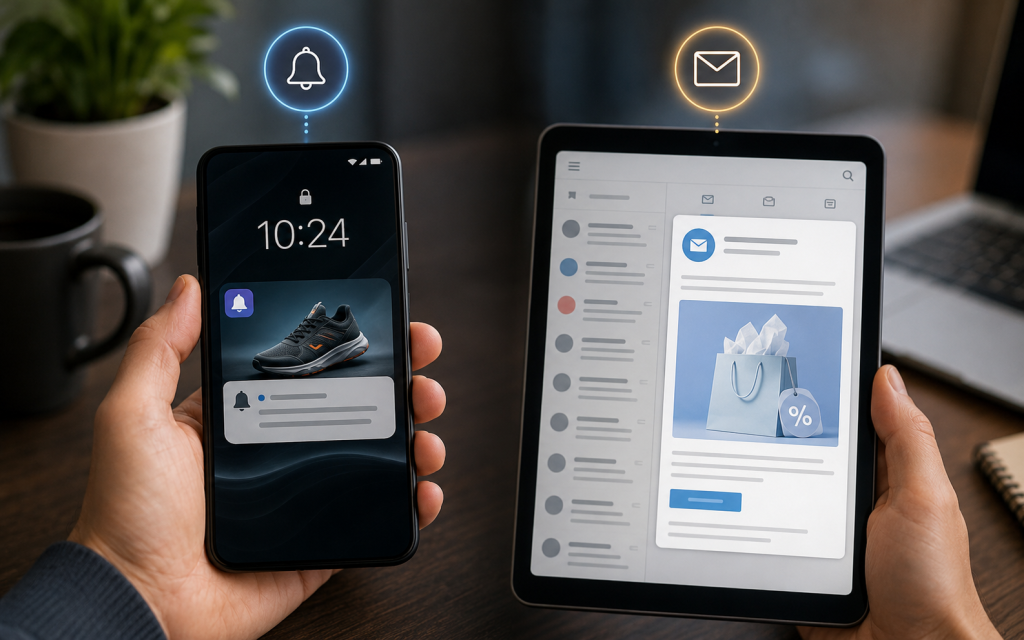
This content is all about 2 digital marketing terms: push notifications and email marketing. It depicts the differences between these 2 strategies. You’ve already learned much about email marketing from our previous content; now find out its dissimilarities with another strategy, push notifications. What is a push notification vs email marketing notification?
Push Notification Vs Email Marketing
What are the basic differences between push notifications and email marketing. What are the benefits and downsides? Also, know the effectiveness, CTR, open rate, cost, and other aspects of 2 strategies. See in detail.
What is Push Notification in Marketing?
Push notifications are typically opt-in alerts that display text and rich media, such as images or buttons. It asks a user to take a specific action. They are basically short, clickable alerts. Marketers send them directly to a user’s device or in other words, they appear directly on users’ lock screens. You can describe them as immediate, short-form messaging. They are highly useful for flash sales, urgent alerts, etc. Push Notifications are associated with higher open rates.
What is Email Marketing?
Email marketing is the strategy of sending structured business-focused messages to a subscriber’s inbox (mailbox). Marketers basically send commercial messages, newsletters, and promotional offers to their opted-in subscribers’ mailboxes over the internet. This system enables the senders to provide longer content, images, and attachments.
Difference between Email and Push Notifications
| Aspects | Email Marketing | Push Notifications |
| Primary Goals | To establish long-term brand awareness and nurture leads | To drive quick conversions and immediate app/website engagement |
| Delivery | Users need to check and open the delivered message in their mailbox (inbox or spambox). | Instant delivery to device lock screen or browser tray. |
| Visibility | Often go unnoticed alongside other regular mails | Highly visible |
| Audience Requirement | Requires an email address | Needs app installation or web browser opt-in |
| Content Length | Allows larger content containing bigger text, images, and longer storytelling | Highly concise and small, limited to 50 to 100 characters only |
| Opt-in Friction | Users need to agree to receive and verify their email addresses | A user only needs to click “Allow” on their device or browser |
| Personalization | Good scope for segmentation and dynamic content | High personalization features with behavior triggers, location, app state, segmentation |
| Average Open Rate | Comparatively Lower, hovers around 25-43% or even lower | Higher average open rate of around 20-50% or even more (47-80%) |
| Average CTR | Only 1-5% CTR and generally within 2.66-3.38% | Comparatively much higher CTR of around 20-28% |
| Best Use Cases | Newsletters, detailed product launches or updates, educational sequences, receipts | Flash sales, abandoned cart reminders, timely alerts, breaking news |
| Lifespan | Offers permanency and stays in the mailbox unless the user deletes it by himself | Temporary and gone after dismissing (if not archived) |
| Maintenance | Requires an established infrastructure | Mobile app development/maintenance needed |
| Intrusiveness | Less intrusive as users check their mail at their own will most often | Overusing may make it over-intrusive |
| Measurability | Takes comparatively longer time to measure | Instant measuring of metrics |
| Cost Comparison | Scales with the size of your subscriber list and is comparatively expensive | Practically free or very low cost |
| Way to Convert | Email → website/app → purchase | App notification → linked screen → purchase |
What are the Advantages of Push Notifications?
The benefits/pros/advantages of push notifications include:
Instant Delivery: It is able to grab immediate attention and guarantees urgent updates. For example, it’s highly useful for time-sensitive issues like flight changes, bank alerts, earthquake alerts, etc. Meanwhile, emails can stay unread for hours or days.
Immediate Visibility: Appears directly on a user’s lock screen and thus drives instant action (often within a few minutes or an hour). Rarely go unnoticed like many emails in your inbox for a longer period.
High Open Rates and CTR: Offers a very high Click-Through Rate of around 20-28% and an average open rate of around 47-80%. Both are much higher than their counterpart, email marketing.
Higher Engagement & Conversions: Its brief and immediate appearance sparks interest among the audience most often. The higher engagement also results in a higher conversion rate as well.
Highly Personalized: The mechanism enables marketers to segment audiences based on demographics, purchase history, or location. Thus, it lets them design and send relevant & localized messages which are useful to a specific recipient/audience.
Engaging Inactive Users: Push notifications are gentle, personalized, and soft reminders to their audience. Even if someone has forgotten or hasn’t opened an app recently, they may return to recover abandoned shopping carts. Thus, it’s a way to reengage inactive users.
Low Friction: Most often, a single click is enough for a user to receive a notification without offering any personal data or email address.
Better User Experience: Push notifications serve as non-intrusive personal assistants where a user doesn’t need to manually search for a thing and instead gets notified through their app or browser.
Lower Cost: Marketers can make thing done for a cheaper cost, or sometimes they may enjoy free facilities. Comparatively, push notifications are a cheaper option than other strategies.
Pros of Email Marketing
- Wider Audience Reach
- Advanced Segmentation Available as well as Targeted and Personalized Communication
- Detailed Analytics with access to granular data, including delivery, bounce, open, and click-through rates.
- Deep Storytelling and more detailed information than push notifications.’
- Permanency of the content or email in the mailbox unless someone intentionally deletes it. It’s absent in push notifications, which can disappear for eternity with just a single slide.
- Ownership of Audience.
- Full Consent Granted.
What are the Downsides of Push Notifications?
Here are the cons/drawbacks/disadvantages of push notifications.
Avoidable: Users can mute notifications or completely turn them off, and your notifications can never reach those users.
Concise Content: Basically, push notifications don’t allow senders to go for bigger messages or images. It only lets you send brief messages or short alerts.
Temporary Character: Once the user clears or dismisses the notification, it might be gone forever, unless kept in the archive. This is a huge drawback for push notifications, because they don’t stay permanently in the inbox like emails or SMS.
Higher Opting-Out Rate and Intrusiveness: Also associated with high opt-out rates, where users who get triggered by frequency or non-relevant notifications may mute or turn off all sorts of notifications from the sender. Overuse or more frequent sending may cause intrusiveness.
Internet Dependency: This con is similar to the one of email marketing. Users need wi-fi or mobile data to be on to receive notifications. However, it’s unlike SMS marketing, where there is no necessity of internet. You can also describe it as “Zero Offline Reach”.
Requires an App/Browser & Opt-In: Yes, apps/browsers are very common nowadays. But it still takes someone to install the app or use their browser to get notified. Moreover, a user must opt in (through a single click or other options) to receive notifications.
Cons of Email Marketing
- Less instant and visible than push notifications; high chance of going unnoticed.
- Takes longer to respond (by users).
- Overall worse metric performance, lower open rates, CTR, conversion, engagement.
- Triggering Spam Filters.
- Messages not getting delivered to the mailbox.
- Client Fatigue due to Mail Frequency.
- Costlier than push notifications.
- Complex opt-in process.
- Overloaded inbox.
- Risk of Unsubscribes.
- Technical maintenance and skills are sometimes required.
- Strict Privacy Regulations.
What are Common Push Notification Mistakes?
Frequent Sending: Too many notifications cause immediate user fatigue. It results in opt-outs and uninstalls.
Wrong Timing: Sending notifications at the wrong times bothers the audience, even if your notification is relevant to them. For instance, a promotional notification or an alert that has no urgency: if you send those in the middle of the night (2-4 am), it will surely spark anger if its disrupts someone’s sleep.
Messages without Personalization: Generic messages to all of your audience will bring on worse output. You need to understand that a notification which is useful to someone might not be as useful to another party.
Segmentation Lacking: Don’t treat all users the same way. Instead, assess their behavior, demographics, or past purchases and segment them into different groups.
Providing Lack of Value: Notifications that are only designed for marketing purposes without offering value or usefulness to the audience will seem noisy to them at one point. You can offer value with urgent and important alerts like price drop, flight schedule change, earthquake risk, etc.
Premature Permission Requests: When a user launches the app for the very first time and is yet to observe the value you provide, don’t ask for permission that fast. It is a way that results in permanent blockage.
Misleading Landing Pages: When your notification link doesn’t take the user to the authentic source and instead lands on a 404 error page, it is something that makes your notification valueless.
How Long can Push Notifications be?
| Platform | Title Limit | Body Text Limit |
| Android | 65 Characters | Within 240 Characters |
| iOS | 25 to 50 Characters | Within 150 Characters |
| Windows Web Push | 69 Characters | 139 Characters |
| Mac Web Push (Chrome) | 43 Characters | 86 Characters |
iOS offers expanded notifications via swipe down, while Android supports large banners & icons. Windows Web Push’s character limit varies by the version of the browser. Meanwhile, the number of characters via Mac Web Push is limited by browser and OS version.
How Effective are Push Notifications?
Push Notifications are highly effective in terms of metric performance and overall promotion/alterts.
- Push notifications offer an enormous open rate of around 47-80%. Some sources claim that, with perfect procedure maintenance, it can reach up to a 90% open rate.
- The Click-Through rate is also very impressive at around 20-28%. Indeed, it can reach up to 40% in some cases.
- Personalized, relevant messages can boost user engagement by up to 300%, while proper usage of emojis and rich formats (images or action buttons) can improve engagement by 20–25%.
- On average, 67.5% of mobile app users opt in to receive push notifications.
- 7.8% (app.) of people interact with a push message.
Push Notification Vs Email Marketing: Which Drives Better Engagement?
Well, push notifications are more useful for timely prompts (e.g., flash sales, urgent reminders, etc). Email marketing is highly useful for longer content, newsletters, nurturing relationships, and complex conversions. Open rate, click-through rate, user engagement, conversion rate, etc are better through push notification while it’s also cheaper strategy and easy to opt-in. But email marketing takes you to a broader audience, and fully engaged users receive emails, and in the long run, it offers you a better ROI and promotion. Emails also have a longer lifespan.
- If you ask for better immediate engagement and high open rates, then push notifications are the better option.
- On the contrary, for better long-term conversion rates, higher return on investment (ROI), as well as wider audience reach, email marketing is the superior option.
FAQs
Some frequently asked questions and answers on push notification vs email marketing strategy.
Are push notifications expensive?
Nope! Push notifications are very cost-effective and much cheaper than SMS or email marketing.
How much do push notifications cost?
There are various ranges. Startups generally take the free option ($0), while small businesses can go for $200 to $900 per year. As the subscriber list grows, mid-sized businesses may cost up to $1,200–$6,000 per year. Enterprises may even spend on custom contracts charging $10,000 to $50,000+ per year.
What is the open rate for push notifications?
The average open rate for push notifications is around 47-80%.
What is a good CTR for push notifications?
A good CTR for push notifications can be between 5% and 10%. 10% or more is considered top performance.
How many types of push notifications are there?
4 types based on the delivery channel: Mobile App, Web Browser, Desktop, and Wearable. Push notification types based on purposes are Promotional, Transactional, Reminder, Reengagement, and Location based updates.
What is the best time to send push notifications?
The best time to send push notifications is mid-morning (9 AM–11 AM) or early evening (6 PM–8 PM) local time.
What makes a good push notification?
Personalized, relevant, and actionable information makes a good push notification.
Why are push notifications riskier?
It creates a direct, server-initiated communication channel, bypassing spam filters.
Do push notifications use data?
Yes, push notifications use data, as well as users require an active internet connection to receive the notification.
How to measure effectiveness of push notifications?
You can measure the effectiveness of push notifications by tracking Delivery Rate and View Rate. Then pair them with behavioral metrics such as Click-Through Rate (CTR) and Conversion Rate. Finally, correlate those with the ROI and opt-out/uninstall rate.
What is the best length for push notifications?
40 characters for the title and 140–150 characters for the message body.