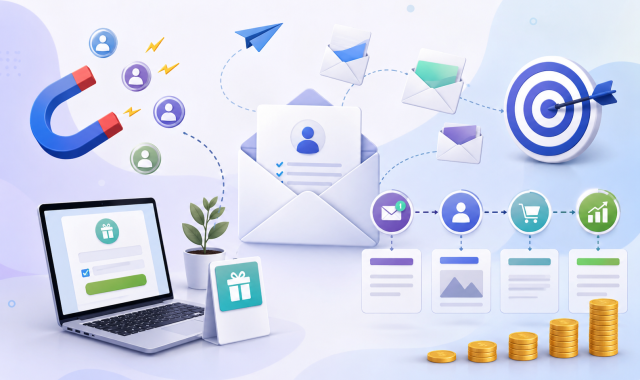
This content provides a complete guide or tutorial for email marketing for both beginners and experts. How to do email marketing step-by-step? How to learn email marketing for free? Find an email marketing strategy template and easy to operate for the new customers. Also, get access to free Email marketing tutorial for beginners and also for clients. Check out the links providing the email marketing course free with certificate.
Table of Content
- What is Email Marketing
- Why Email Marketing is an Evergreen Strategy?
- Email Marketing as a Career
- Types of Email Marketing
- Understanding Email Marketing Tools
- How to collect Email (Contacts)
- Understanding Newsletter Form
- Understanding Mail Templates
- Delivery & Spam Prevention
- Analysis & Performance Tracking
- Email Marketing Automation
- Legal Rules & Compliance
- Common Mistakes Beginners Do
- Email Marketing via Mailpai and Why You Should Experiment
- FAQs
What is Email Marketing?
Primarily, this is a form of digital marketing that utilizes emails to achieve purposes. You can define it as the process of sending commercial messages using email to a group of people, either randomly or selectively. In other words, it’s the act of using emails to communicate with potential as well as existing customers.
Simply, when you generally use email, you can send only 1 message at a time. But when you have a broader audience or community to connect with and are trying to send them the same or similar messages at the very same time, you need the assistance of email marketing to send that to a large number of people within a very short period of time.
You can set the receivers here based on the criteria of which sort of people you are trying to reach. And you no longer need to send it differently. Moreover, there is scope to customize emails based on different clients’ needs. This is a branch of digital marketing strategy.
Why Email Marketing is an Evergreen Strategy?
Email is the First Identity of Every User
Well, it’s common sense that email is your first identity in the online world. Before you go online through any sort of device, the system will ask you for a valid email address. One may not have an Instagram account, someone may not be interested in Facebook, or any other social media platform. But every user must have an email address before they sign up to any of those platforms. Or even if you are just entering Google or any other search engine, you need an email before that.
Comparison with Major Internet Marketing Strategies
In recent times, there has been SEO traffics declining due to AI Tools. AI Tools and AI Overviews are leading us towards a new “0-Click era”. Shockingly, up to 60% of search queries now finish without any clicks, according to AI itself. Indeed, for information-based keywords, the web CTR has dropped around 35 to 50%, says Ahrefs.com. Other sources, like Alta Journal, revealed that news traffic has been reduced by 26 percent because of Google’s AI overviews.
Comparison with Social Media Marketing
Social media platforms became a really popular way, but the scenarios have changed. Within less than a couple of years, the organic reach has come down dramatically. And not only that, the system is now preferring fully paid promotions, and those are very costly at this moment, at least costlier than email marketing. Meanwhile, email marketing is the most cost-effective and also the cheapest way to reach the targeted audience. For spending just 1 dollars, it provides an average “return on investment” (ROI) of around 36 dollars! Litmus suggests the sum can vary within 10 to 36 dollars for each dollar spent. Meanwhile, according to Mailmend, there can be as high ROI as up to 36-40 dollars for every dollar spent.
Targeted Audience
The other ways can’t help you select the absolute type of audience or clients you are looking for. Those are more random, and your promotion may not even bring fruitful results. But via email marketing, you can choose every single receiver based on previous or collected data, and there is a high chance of positive outcomes as you are able to select your targeted receiver.
Customization Facility
Even the promotional system or process offers you a customization facility, as you can change the mail based on different clients’ needs. The cost doesn’t change much, while the output is more effective and the process is easier than other platforms.
Email Marketing as a Career
Online marketing is now the preferred policy for most businesses and purposes. People don’t bother to go for offline marketing anymore, or very rarely. Among online marketing systems, the email marketing strategy is becoming the most popular option. As it’s becoming a vital strategy and serious businesses want to do it perfectly, they often feel the necessity of a professional. It’s creating new job opportunities in this field. There has been new room for freelance jobs in this sector, and one may find those on platforms like Upwork, Freelancer.com, LinkedIn, Reddit, and various other sites.
Types of Email Marketing
You can categorize it based on various aspects. Let’s take a look at the email marketing types.
Transactional Emails
Customers or clients receive important logistical information. These emails are associated with account creation, password reset notices, notifications via comments, order or shipping confirmations, etc. May vary based on different client or customer.
Welcome & Onboarding Emails
It’s an introductory sort of mail sent to the new subscribers or clients. When someone signs up, they receive this sort of mail that provides a welcome message, tells primarily about the brand or platform, and also sets the goals they need to achieve or services they may find.
Newsletters
These emails are sent in bulk, generally with a common message to a group of people. Tend to provide promotional messages including offers, campaigns, events, etc.
Promotional Emails
These emails are sent with a view to promoting the brand and increasing sales. It may tell about any ongoing offer or upcoming campaign. It tends to catch immediate sales and declare the launch of products. These emails are very time-sensitive.
Lead Nurturing Emails
Generally features a sequence of emails over time, sent systematically to build trust, educate clients, and then let them take action to become paying customers. The whole process might be shown through a flow chart:
The Welcome & Introduction (Email 1, Day 1) > Education & Value (Mail 2, Days 2-3) > Social Proof (Mail 3, Days 5-7) > The Soft Offer / Demo (Mail 4, Days 10-12)
So, first, you get introduced and let them know about your brand or service. Then you tell them why your products are required and how they should act in those problems? Thirdly, you provide them with a plethora of proofs that strengthen your brand image and build sheer trust. It also helps them know how others are benefiting. Finally, you do offer them gently, and finally, when any of those receivers take action, you get paid, and your sales go up.
Behavioral & Triggered Emails
This is also the sort of email that may differ person to person, and you generally react with an immediate response to a client. Suppose someone is buying a helmet, you can remind them of the necessity of an elbow guard, knee guard, or related bike accessories. Or if someone has bought a high-pressure machine, you may send them the guidelines on how they can use it to wash their vehicle. One may also name these terms as upsell or downsell, etc.
Re-Engagement Emails
Suppose any of your customers hasn’t been active in the previous days, you can send them an email to get in touch and remind them of what items you have in stock. Or, you may wish someone on their birthday just to make them feel you still care about them. Or, you can also send inspirational messages to your most active customers. Moreover, some clients are not even opening the mail; you can offer wonderful surprises and offers for them.
Understanding Email Marketing Tools
The email marketing tools mainly fall into 2 categories. Those are: SaaS (Software as a Service) and Self-Hosted Email Marketing.
SaaS (Software as a Service)
These are basically plug-and-play services. It doesn’t only run on the vendor’s servers, but the vendor also manages everything. Users or businesses use the vendor’s platform, templates, and sending infrastructure, and in exchange, they need to pay a monthly or yearly subscription fee.
Example of SAAS: Brevo, MailOctopus, Mailtrap, Mailchimp, ActiveCampaign, ConvertKit, etc.
Now, let’s identify the positive and negative sides of SAAS: Email Marketing Tools.
Pros:
- The SAAS tools are easy to use for the users. Indeed, one doesn’t have to do further coding of the drag-and-drop interfaces.
- Server IPs are managed by the vendors themselves, and hence, the users don’t need to think about spam.
- There is always a ready-to-go customer service support system for any sort of trouble.
Cons:
- Your subscriber data doesn’t belong to you completely, as it resides on a 3rd-party server system. So, you don’t have complete safety, although they provide enough security, but still, there is room for information leakage.
- Expensive subscription fees, and the scale goes massively up as your subscriber list increases.
Self-Hosted Email Marketing
The user downloads and installs the software on his own private server or hosting account. You are the controller of the system, being the admin, but you just need to connect the system to a third-party sending service. Amazon SES or Mailgun are ideal examples of the 3rd-party sending services.
Examples of Self-Hosted Email Marketing: MailPai (WordPress Plugin), Sendy, Mautic, MailWizz, Mailcoach, etc.
Pros:
- One of its biggest positives is its cost-effectiveness or cheapness. Your subscriber list may grow further, but you can do it for a minimal payment. The costing may be as little as pennies per thousand emails.
- You own the data here and have all the rights to dictate everything. No one can steal your data. Because no 3rd-party server system has any sort of connection to your data storage system.
Cons:
- Everyone can’t install, configure, and maintain the server because one needs proper Information and Technology knowledge to do those things. So, a bit complex for general users.
- Nobody ensures your spam protection, as you are fully responsible for it. So, any sort of mismanagement may lead the mails to land in the spam box.
How to collect Email (Contacts)
Collecting emails for email marketing is a key challenge. One may ask, “How to collect Email contacts for free?” Or, ‘How to get or obtain email contacts?” The major ways to do so are:
Registered Users on Website: There are registered users on your website whose email IDs are definitely listed there. Bigger websites have more registered users. Or, through email marketing, you can acquire more users or audience on your site and also automatically have their emails.
Website Commenters: You can find various commenters on the websites. The comments also show those users’ email addresses, and you can obtain many email addresses through those comments.
Using Newsletter form: When you visit a website, sometimes you can find a newsletter form to fill out where you put various information, including your email. In this process, one can obtain the mail IDs, and through that latter, the collectors can send an email to those users.
Run Campaign: One can organize various events, shows, or surveys where they can provide a form where attendants will provide written information. Place an email box to write their mail IDs there, and in this way, one can effectively get many authentic & active email addresses.
Manually collect from other websites: There is another way to collect IDs manually, one by one, from various other websites or open sources. This might seem slow, but it can be an effective approach.
QR Codes: These can also be handy and a short-term task for the users to do. Putting it in a public place can help you obtain many IDs, where only scanning via those can let them directly sign up on your email page.
Scrapping (Do it carefully): Various apps are there who can work as the scrappers to help you find emails. By the way, this task is to be done with care. Otherwise, you may suffer from a high bounce rate and non-authentic IDs. Indeed, B2B search tools and Chrome extensions can be handy in this task. Sources like company websites and professional directories may lead to numerous public work emails.
Buy Email List (Do it carefully): This is another way to obtain mail IDs. However, professionals and the legal email marketing rules & regulations don’t inspire you to work in this way. But if you use highly reliable sources, those can help you successfully collect a big number of authentic mail addresses.
Understanding Newsletter Form
Email marketing tools build the newsletter forms to mainly collect the email IDs of the users. However, the basic features are the name and the ID itself. However, most tools build form that tends to collect customers’ email, name, phone, address, date of birth, etc. Modern email marketing tools suggest being user-friendly so that the users neither feel it difficult nor feel bothered. The most popular style nowadays is the drag-and-drop builder to build a form. You must keep in mind the following facts.
Use Concent (Tick mark agreement with the users)
To ensure legality that you are taking consent of the users that you will collect the mail at their will, place an agreement button, for instance, a tick mark. This is a must-do task and belongs to strict privacy laws. It not only protects your brand’s reputation but also confirms high email deliverability. Why is agreement or consent required while building newsletter forms?
Legal Compliance: General Data Protection Regulation (GDPR) or other laws demand that businesses or sites must obtain consent from users while taking their email IDs via newsletter forms or sign-ups.
Avoid Bots & Fakes: It also makes sure that the bots or fakes can’t come into action more frequently or randomly.
Can Issue Fines: Under various rules and laws, doing such things without taking consents can result in massive monetary fines against the businesses that are collecting mail via newsletter forms.
Higher Deliverability and Engagement: When users do provide you with consents, they are less likely to mark you as spam, and they will also have a higher rate of opening and reading the emails. Eventually, your marketing will be effective both in terms of cost and promotion.
Builders must keep the tick boxes vacant so that the user can completely tick them or provide consent at their own will.
ReCaptcha (For Your Safety)
This will help you prevent bots and fakes. Otherwise, there wouldn’t be effective marketing to be honest, and many bots will fill out the forms, and eventually those emails won’t be of any use to you. For example, you need the authentic mails, but without ReCaptcha, the bots provide non-authentic and fake IDs like abcdgydg@gmail.com, and doing those things randomly and repeatedly, you will find newsletter fill-up, but those won’t bring fruitful results.
Double Opt-in (Additional confirmation mail when subscribing to newsletter)
Single opt-in means that when someone provides info and agreement, their emails are registered in your list. But double opt-in includes another verification, where, after the first step, the user will get a confirmation email that may contain codes that they need to place in the 2nd phase in the code box. Then, finally, their emails would be registered in your business’s mailing list. In other words, it proves that the email ID authentically belongs to that user.
Understanding Mail Templates
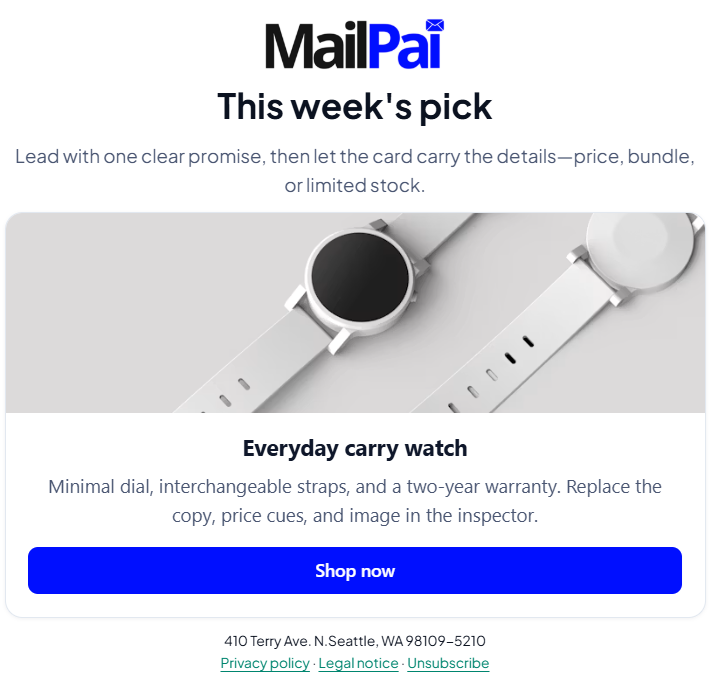
The structural design of the email templates determines how content is displayed. It can be of different types. The major types include:
Text Only:
It looks like a personal message. You will find it plain & simple. Doesn’t feature images or any complexity. Text-only emails are suitable for direct replies as well as cold sales.
HTML:
When you’re planning for visually engaging and multimedia emails, the text-only designs won’t be enough. In that case, you may go for the reusable code frameworks known as HTML template type. This sort of design is capable of supporting custom layouts, branding colors, images, interactive buttons, and more.
Drag & Drop:
The most modern & popular design of email template is drag & drop, which is a pre-designed layout. Users are able to drag text, images, or buttons onto their email canvas and can customize them. MailPai is definitely using this advanced & user-friendly pattern to make things easier for beginners and experts.
Benefits of Drag & Drop Email Templates:
- You don’t need any sort of coding skill.
- Responsive across all devices from PCs to mobile, no issues based on one-column, two-column, inverted pyramid, zig-zag, or any sort.
- Users are able to create professional emails within a few minutes.
Delivery & Spam Prevention
To avoid being blocked and ensure not land in spam boxes, you must keep a few things in mind.
- Don’t start sending bulk messages during the earlier stage. Start with fewer numbers and then gradually increase them. Otherwise, you may suffer from being blocked, and your emails may go to the spam folder.
- Your mail should never be an image-only type. You must put some text there in the body and mention the subject.
- Regular web hosting or shared hosting may seem enough for you to send bulk emails, but the system is not reliable at all. Instead, try to use specialized email marketing tools or engines like Amazon SES.
Difference between Email Marketing Tools & Email Marketing Engines
Email marketing tools and email marketing engines are not the same thing.
Email marketing tools are user-friendly software. The marketers use the tools to create and manage campaigns. Or in other words, it’s the software interface where you log in. One may also call it the Email Service Provider or ESP. Example: MailChimp, Brevo.
On the other hand, email marketing engines refer to the underlying infrastructure that sends the emails to inboxes. These are servers and software protocols that route your mail by working behind the scenes. For instance: Amazon SES, SendGrid.
Analysis & Performance Tracking
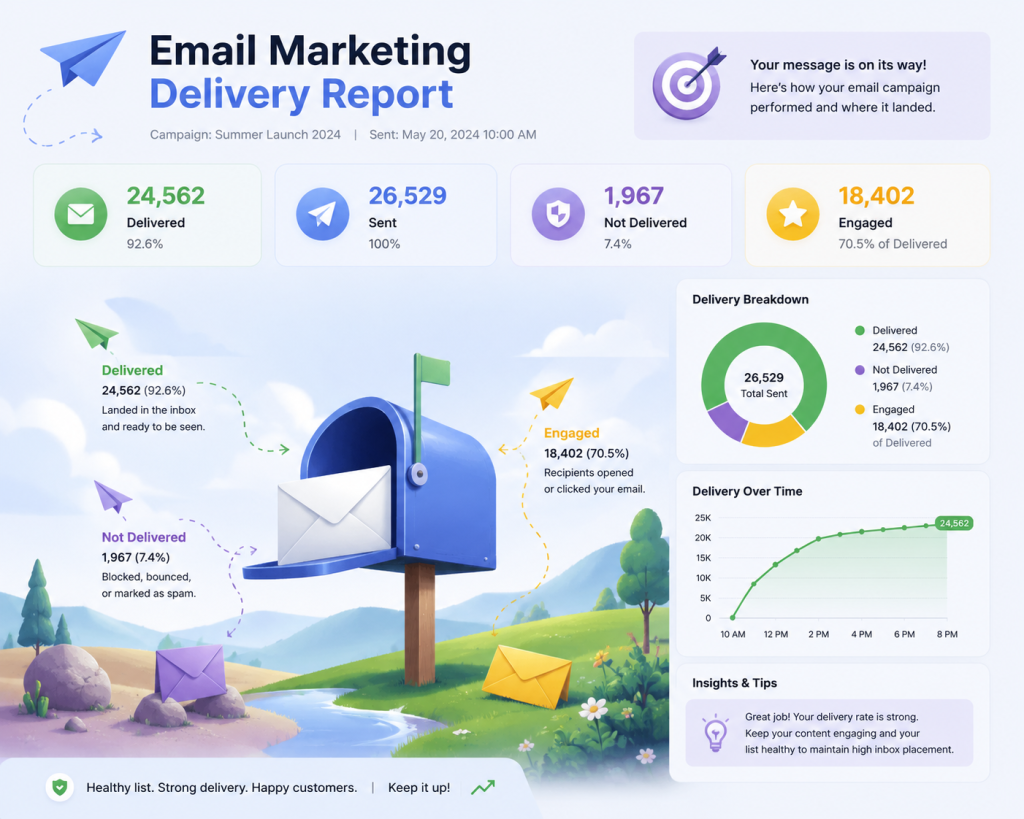
It’s simply the process of tracking and interpreting campaign data to calculate success. Marketers actually observe or monitor key performance indicators (KPIs) to measure them.
KPIs include the open rates, click-through rates, bounce rate, spam rate, unsubscribe rate, conversions, etc.
It’s crucial because it helps marketers to determine or optimize future messaging and help them obtain a better return on investment (ROI).
Process of Analyzing & Optimizing:
Goal Set Up: Before measuring the KPIs, you must set up a clear goal. Determine what sort of success you are looking for and in what amount. One business may prefer more website traffic while another business may define success as direct sales.
A/B Testing: Don’t send the same mails to everyone. Instead, create different segments. Send “A” type to one segment and “B” type to the other. Then compare between 2 segments, which one worked better and brought more success.
Segment Data based on Groups: Spot the difference between various groups. For example, differentiate between new subscribers and old clients and analyze metrics based on those differences.
Cost Analysis & ROI Track: Measuring the Return on Investment, in contrast to your email marketing cost, will help you get a clear idea and optimize for the future approach.
List Cleaning: Removing the subscribers who are inactive and also bounced emails will help improve deliverability.
Email Marketing Automation
It is actually the usage of preset workflows as well as AI triggers. It helps send personalized, behavior-based messages to the audience on a basis of how an individual takes action. And yes, it sends a message at the exact right time. Email marketing automation minimizes unnecessary efforts and saves time while nurturing leads and driving conversions as well.
In simple words, when somebody in your audience list takes an action, the email marketing automation automatically responds based on their behavior. It actually uses an if/then logic system.
For example, if someone has signed up on your website, the automated system will welcome them and provide them with the guidelines. Or, if somebody is purchasing a football, the system will also show them the availability of related items like boots, gloves, socks, etc.
Legal Rules & Compliance
This is very crucial in email marketing. The legal rules & compliance elaborate that you are taking clear consent from your audience to whom you are sending emails, and they are getting a clear idea about who you are and what sort of services you can provide. Moreover, don’t forget to offer them an easy way to opt out whenever they feel not interested enough. Major rules include CAN-SPAM Act (United States) and GDPR (Europe); these rules help protect subscribers to be protected from potential spam.
Clear Consent
In the newsletter form, you place the tick mark or agreement option, which remains empty, and by clicking there, the individuals provide consent that they are willing to receive emails from you. Only send mail to those who have agreed to receive.
ReCaptcha
This is for the senders’ safety because it helps the sender avoid wasting time behind spam or fake accounts. ReCapctah makes sure that no bots or fake IDs are subscribing via the newsletter form.
Add Physical Address & Show Identity
In the templates, you must put your business’s physical address, where you are located, and via your identity, tell them exactly who you are.
Privacy Policy Link
By informing readers how their data is collected, used, and protected, it actually builds subscribers’ trust.
Legal Notice Link
This is another must-do thing to comply with global data privacy as well as anti-spam laws. It not only ensures the subscribers’ rights and clarifies how you handle their data but also makes your brand transparent to them.
Unsubscribe Button & Easy Way to Opt Out
Popular platforms always prefer this option because it makes you even more reliable, as people often want the freedom to choose what they want to do. Through the unsubscribe or opt-out button, they can get rid of you whenever they want. Remember, when they lose interest, those mails neither be of interest to them nor will they open them; instead, those will only bother them and will degrade your deliverability & conversion rate.
Common Mistakes Beginners Do
While doing email marketing, we’ve observed various sorts of mistakes the beginners make, actually. Those mistakes might be in terms of Audience and List Building, or containing issues in Content and Messaging, or even having a faulty Strategy and Analytics.
Initially Trying to Send in Bulk
You gradually increase it, actually, but beginners try to go for bulk sending initially, and it worsens the deliverability, bounce rate, spam landing, and other issues.
Over-Emailing
Your audience is interested, but that doesn’t mean you can send numerous emails to them within a short time. Because it may make them feel bothered, and they will be forced to unsubscribe.
No A/B Testing
Sending the very same sort of emails to everyone will not help you compare what is more handy to your audience. This test helps improve your subject lines over time.
Not to Measure Open or Click Rates
This is another mistake that makes the beginners blindfolded from clearly estimating the success and how things are working.
Wrong Timing
It keeps your emails unopened, although it could have been of very much interest to the audience had it been sent at the right time. Suppose you are working with home alliances and sending those mail during the busy office time, your client will not even have time to open it, and later they may forget it.
Boring Subject Lines
The subject line makes your email catchy. If your subject line fails to attract the audience and your writing seems like it was written by a robot, those emails won’t create interest among subscribers.
Mobile-View Layout Ignorance
Your mail must be compatible with both PCs and mobile devices. Otherwise, phone users will have issues watching your template due to the broken layout on mobiles.
No Clear CTA
A Clear Call-To-Action is required for guiding what to do next. Otherwise, the audience will get confused and may eventually leave.
Purchasing Email List
This is not legal in many regions and hinders the reputation of your business. Moreover, if you are not purchasing through authentic sources, you might be in bigger trouble.
Sending Mails to Unengaged Subscribers
It will degrade your deliverability and conversion rate. It will also worsen the ROI.
Segmentation Trouble
Offering the same sort of mail to different types of audiences won’t bring fruitful results. With an irrelevant offer to someone, they won’t feel interested. Suppose you are offering musical instruments to someone who is interested in sports, will not be handy for you.
Not to Clean Up Mail List
This is another important task that beginners don’t do. Keep in mind that just having a larger audience is not the key; instead, having an engaging & authentic audience is more important.
Email Marketing via Mailpai and Why You Should Experiment
Email marketing is becoming the number one choice for promoting brands and reaching the audience. You must have a clear knowledge & idea about it, but experimenting is the key in this sector to bring success. For the experiment, you can go with various tools, for instance, the MailPai tool. It is a WordPress plug-in and offers self-hosted email marketing. MailPai can help you in several ways, including providing guidelines about:
- How to operate email marketing tools.
- Ways to add the contact list.
- Process of sending bulk messages effectively.
- How to run a campaign.
- Ways to check reports.
Hope our content will help you gather some important knowledge about email marketing. However, alongside gaining proper theoretical knowledge, you must conduct some practical experiments in email marketing to achieve success and become a pro from a beginner.
FAQs
Here are some frequently asked questions about the email marketing guide or tutorial for beginners and experts for free.
How to send 1000 emails at once for free?
One needs to use a bulk email marketing service or a mail merge tool to send 1k emails at once, either for free or paid. One can face a standard free email account block while attempting to send a large number of emails at once. It’s because of the prevention of spam. Platforms like Brevo or Mailchimp can allow up to 300-500 free emails per day. You can enjoy the facility of sending up to 80,000 emails per month and 20,000 per day via MailRelay. You can also try MailPai, which is comparatively newer but can be a great option.
How do I start email marketing?
At first, you need to sign up for an email marketing platform (like MailPai). Then, add a signup form to your web. Finally, build your audience. You can offer rewards or can build trust & communication by sending helpful mails.
Is email marketing legal?
Yes, email marketing is completely legal and that too worldwide. You only need to follow strict anti-spam and privacy laws. Take proper consent, be transparent, and offer easier ways to opt out.
Can I make money from email marketing?
Yes, you can make money from email marketing. For instance, you can earn by selling your own products, sharing affiliate links, renting out ad space, running paid newsletters, booking services, etc. Many businesses also need professionals for such tasks; hence, there is an opportunity for those job seekers as well.
How to send 10,000 emails per day?
One needs a specialized email infrastructure to do such a thing, otherwise he will certainly face account blockage. Suggested approaches include the likes of inbox rotation, dedicated SMTP servers, automated warm-ups, etc. We’ve also already revealed that platforms like MailRelay can enable you to send up to 20,000 emails per day.
Is email marketing easy?
Technically, it’s easy at the start, but if you want to master it, then it might get tough and require patience. List building, Deliverability, Engagement, etc., require proper knowledge & experience.
What is the 60 40 rule in email marketing?
Primarily, it means that to keep the subscribers engaged, the marketers need to strike a balance between 60% educational/value-driven content and 40% promotional offers. On the contrary, there is another theory suggesting, spend 60% of your budget or effort on content creation and list building. Meanwhile, invest the rest 40% on data analysis and audience segmentation.
What is a good ROI for email marketing?
ROI refers to the Return on Investment. Currently, a good ROI for email marketing tends to be around $36 for every $1 spent. However, a more successful campaign may look for approximately $40-45 for every dollar spent.
What is the 80/20 Rule in email marketing?
This is another email marketing guideline or technique where 4/5 or 80% of your emails need to provide value and education to the audience. Only 1/5 or 20% of your emails would directly promote your products or services. This technique will not only build trust but also keep your audience highly engaged & interested.
What are the 4 P’s of email marketing?
Product, Price, Place, Promotion are the 4 P’s of email marketing. However, for the copywriting formula, they reveal Promise, Picture, Proof, and Push as the 4 P’s.
What are the 5 Ts of email marketing?
The 5 T’s of email marketing are Targeting, Timing, Tailoring (or Tone), Testing, and Tracking.
What is a good opening rate for email marketing?
An overall good opening rate for email marketing ranges between 15% and 25%. However, categorically it may vary. For instance, the good opening rate for Non-Profits: 25% to 40%, Business & Finance: 22% to 31%, Retail & E-commerce: 16% to 30%, Education & Training: 30% to 35%, SaaS & Technology: 17% to 30%.
What is Cold Email?
A cold email is an unsolicited message that you are sending to somebody with whom you have never communicated previously. It comes with a view to starting a professional or business conversation.
What is the 30/30/50 rule for cold emails?
This B2B email marketing guideline suggests that you focus 30% on crafting personalized subject lines and openings. The next 30% belongs to optimizing email deliverability. Meanwhile, the (50) means focusing 50% on systematic follow-ups.
Cold Email vs Email Marketing: What’s the Difference? (Use a table)
Take a look at the primary differences between cold email and email marketing.
| Criteria | Cold Email | Email Marketing |
| Goal | Booking meetings, obtaining replies | Lead Nurturing, Sales Boost Up |
| Audience | B2B leads, Strangers, Potential Clients | Opt-in subscribers, previous buyers, or clients |
| Volume | Low to medium scale | High to massive amount |
| Consent | No previous communication | Granted permission |
| Platforms | Outreach tools (ex, Saleshandy) | ESPs (ex, MailPai) |
| Message Tone | Individualized, 1-on-1 style | Designed tone focusing on the brand |
| Primary Metric | Reply rate, leads generation | CTR (Click Through Rate), Open Rate |
How much should I charge for email marketing?
The charge completely differs person to person or company to company based on skills, experiences, and services offered. For the standard campaigns, freelancers demand between $15 to $200 per hour, or $250 to $1,500 per month. Meanwhile, agencies that provide complete services can ask for around $1,000 to $8,000+ per month.
What is the average CPM for email marketing?
CPM refers to Cost Per Mille and has 2 various concepts in the email marketing sector. Firstly, for sending campaigns via an ESP, the average spending is approximately $1 and $12 per 1,000 emails. Meanwhile, the other concept that actually measured through impression, average CPM is $15 to $50 per 1,000 impressions. It’s for advertisements or sponsorships within newsletters.
Do Gen Z like email marketing?
Yes, Generation Z people actually like email marketing, but they are pretty much choosy about what they receive. According to studies. 58% of Gen Z check their email a number of times a day.